Automatic AI subtitles
Generate accurate captions from spoken audio without typing every line.
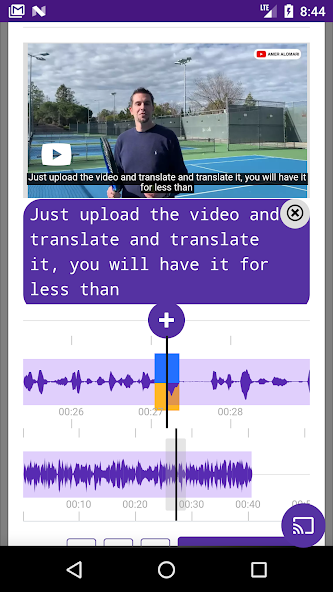
Create automatic subtitles, translate videos into multiple languages, add AI voice dubbing, edit captions, and export your finished video from your phone or tablet.
Turn a video into accessible, multilingual content in a few simple steps.
Generate accurate captions from spoken audio without typing every line.
Translate subtitles and videos for audiences around the world.
Add optional multilingual voice dubbing while keeping your workflow simple.
Edit timing and text, customize font, size and position, then export VTT subtitles.
Cast translated videos to your TV and adjust subtitle size for comfortable viewing.
Keep translated videos organized, download results, and share them when ready.
Translate and dub videos across multiple languages. This page automatically follows your website language.
It can create AI subtitles, translate video, add optional AI dubbing, edit captions, export VTT files, and download or cast the finished video.
Yes. You can edit subtitle text and timing, customize how captions look, and export subtitles in VTT format.
Yes. The app is free to download and offers optional subscriptions and in-app purchases.
Download Video Subtitle Generator and create subtitles, translations and AI dubbing wherever you work.